
Streamlining the hiring process is crucial for finding the right talent.
The integration between PeopleCheck and Lever empowers organisations to enhance their recruitment strategies and make data-driven decisions with ease.
Learn more about Lever
Elevate Your Hiring Efficiency

Streamlined Hiring Process
Eliminate manual tasks and accelerate the reference check process, allowing your team to focus on engaging with top-quality candidates.
Comprehensive Verification
PeopleCheck's robust background check services ensure thorough vetting of your candidates, mitigating potential hiring risks.
Improved Hiring Decisions
Gain valuable insights into your candidates' qualifications, skills, and employment history to make informed hiring decisions.
Step-by-Step Integration Guide
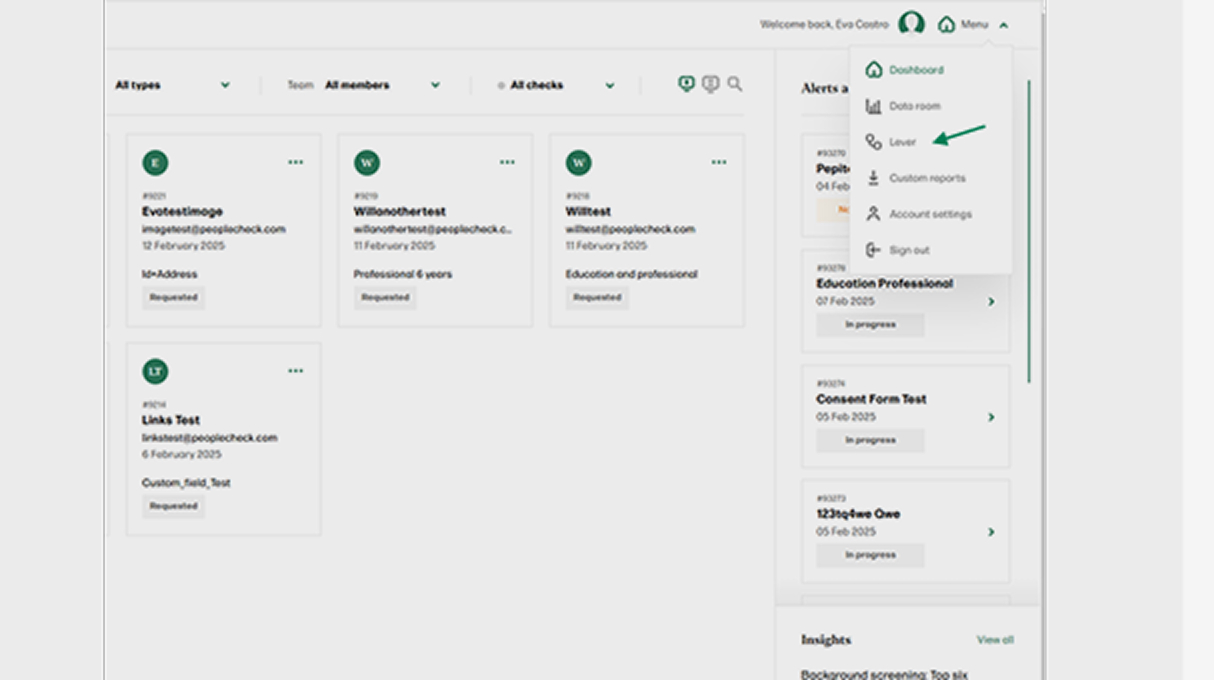
Activate PeopleCheck
Go to your PeopleCheck portal, click on the Menu and select Lever, you will be redirected to this website
Simply go to the bottom of this page and click Activate now to get started.
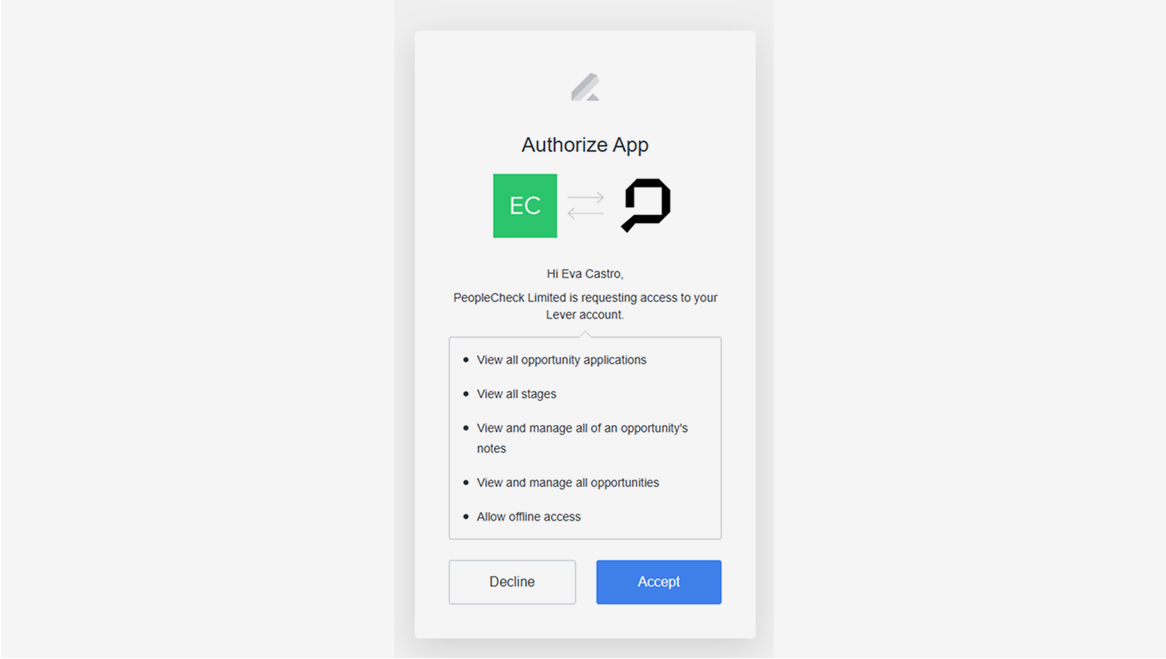
Accepting the scope of services
Once started, read through our authorisation card, and click Accept to continue.
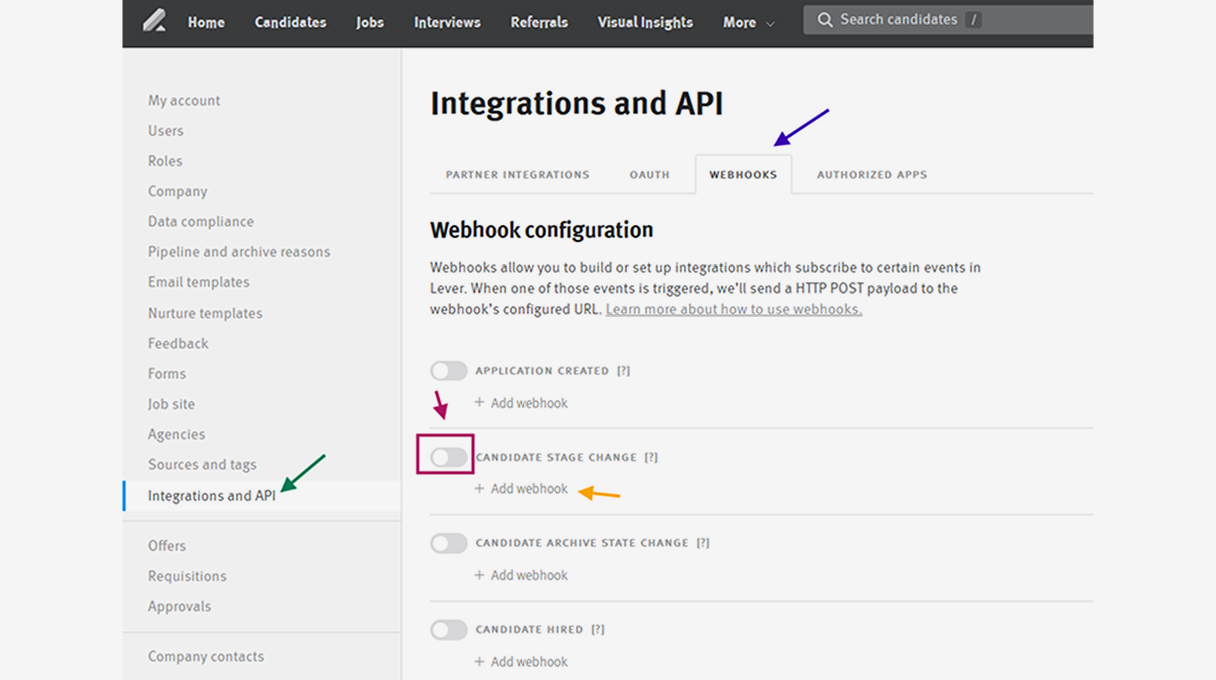
Start configuring your Integration
Once started, within the menu item Once started, within the menu item Integrations and API in Lever, select Webhooks in the top menu., select Webhooks in the top menu.
Locate the Candidate Stage Change and click it, then click on the + Add Webhook sign.
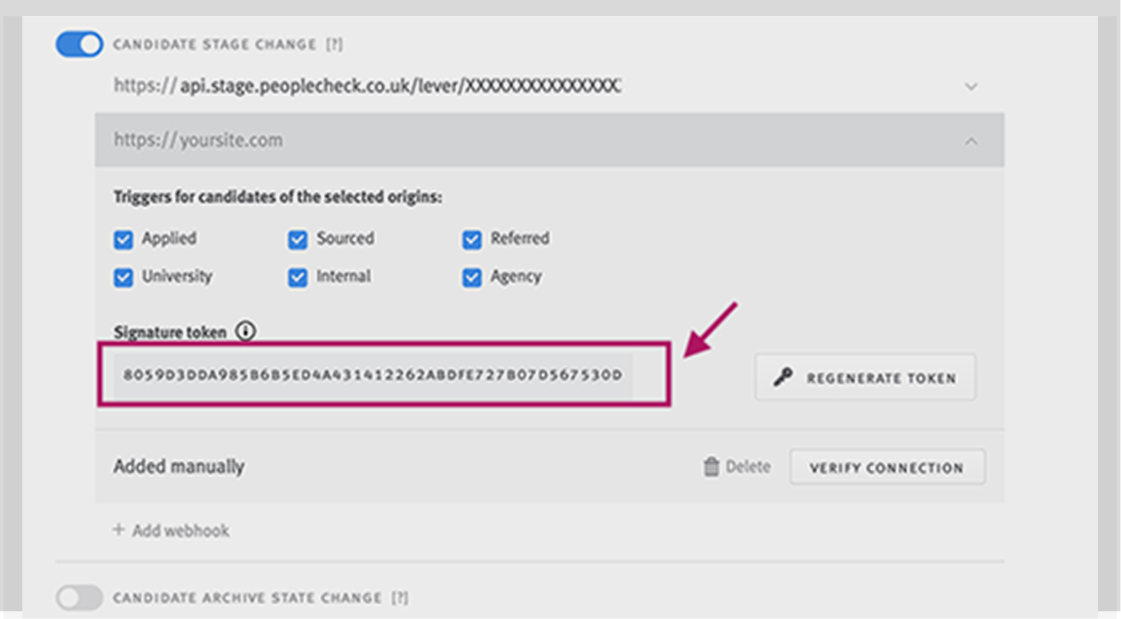
Your Integration Key
Copy your integration Signature token and send it to your PeopleCheck account manager via email. You can also contact our support team at support@peoplecheck.com.
Verify the PeopleCheck Integration in Lever
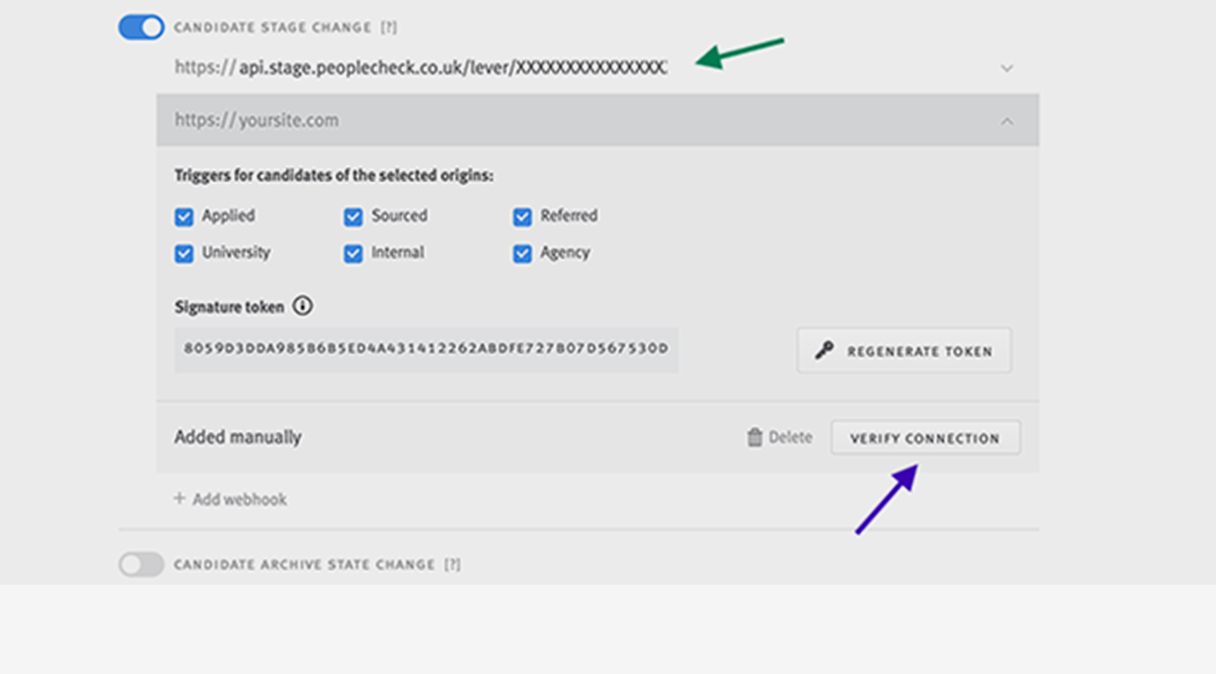
Use the link (api.peoplecheck.co.uk/lever...) that your account manager sent you via email to connect your PeopleCheck and Lever accounts.
Go to the Integrations and API lefthand menu, then select the Webhooks top menu and go to the Candidate Stage Change Webhook.
Paste the link into the Candidate State Change Webhook field at the top (https://...).
Click Verify Connection at the bottom right of the window to finish activating your PeopleCheck integration
Reference process in PeopleCheck & Access results
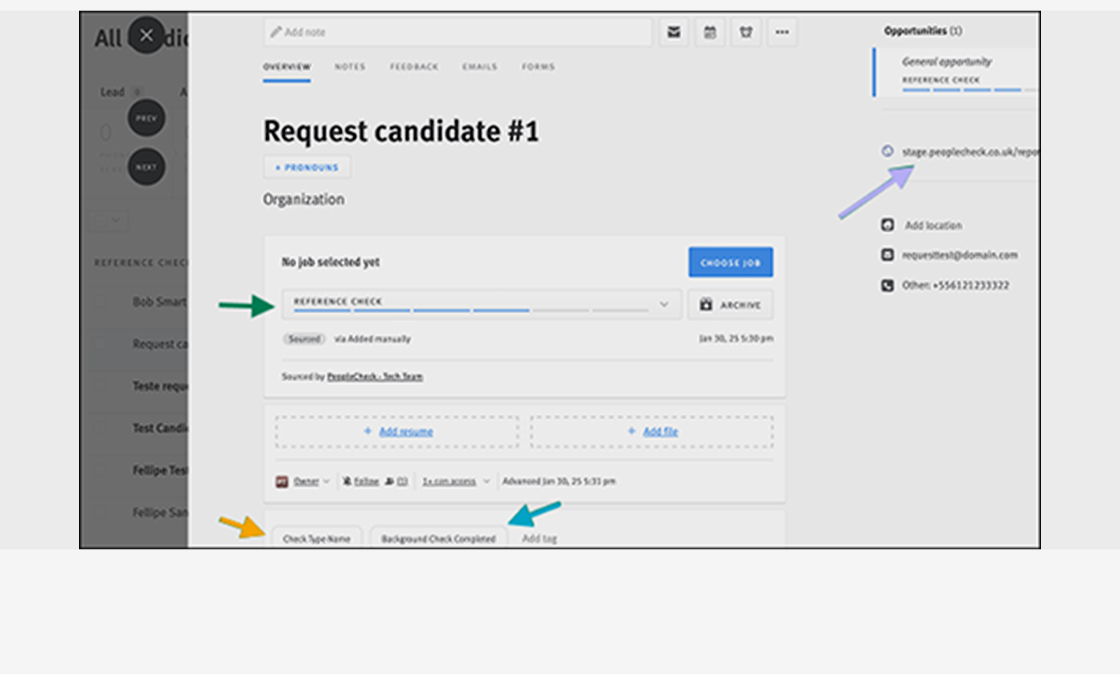
When adding a candidate to Lever, input the check type package they should have within the Tag section of the candidate form. The check types need to match those in PeopleCheck. Your PeopleCheck account manager can help you with these.
To start the reference process in PeopleCheck, select the stage Reference Check within the Candidate form > Overview in Lever.
All status updates on the reference check from PeopleCheck will appear within the Candidate form Overview in Lever > Tags.
Once the reference checks have been completed, a final summary report of the reference check will be attached to the Candidate form Overview for your review.
Contact us
By integrating PeopleCheck with Lever, you can elevate your recruitment efficiency, make data-driven hiring decisions, and build a stronger, more reliable workforce.
Activate nowIf you have any questions or need further assistance, please don't hesitate to reach out to the PeopleCheck support team at support@peoplecheck.com
For two decades, we have been setting the standard and leading the way our industry evolves







We are a registered umbrella body with the UK Disclosure & Barring Service (DBS), a member of the Professional Background Screening Association (PBSA), a fully certified Financial Supplier Qualification System (FSQS), a registered CIFAS partner and also registered with the Information Commissioner’s Office (ICO).
Solutions
Company
Your account
Our qualified PeopleCheck Team will always be able to assist with questions and provide you with well-informed advice, please contact us on:
 +44 (0) 203 848 8650
- support@peoplecheck.com
 PeopleCheck Limited, Evergreen Studios,
The Little Green, Richmond, TW9 1QE London, 6:56pm